
AI is changing the software development lifecycle without a single dramatic moment that clearly separates the old way of working from the new one. Instead, small AI-assisted tasks have appeared across planning, coding, testing, review, deployment, and operations, gradually changing how teams spend their time. The scale of that shift becomes much easier to see when today’s workflows are compared with the largely manual processes many development teams followed only a few years ago.
Why AI’s impact on the SDLC is gradual, not sudden
AI is transforming software development primarily by removing or accelerating small pieces of work throughout the lifecycle rather than replacing the SDLC with an entirely new process.
Technology shifts are often described as if organizations move from one operating model to another overnight. In practice, software teams usually adopt new tools incrementally.
A developer starts using an AI assistant to explain unfamiliar code. Another uses it to generate unit tests. A product manager summarizes customer feedback with a language model. A security tool begins prioritizing vulnerabilities with AI-assisted analysis. An operations team adds automated incident summaries.
Individually, none of these changes necessarily feels transformational. Together, they alter a significant portion of the development workflow.
This incremental adoption also explains why two organizations can claim to be “using AI” while operating very differently. One may use a coding assistant for autocomplete, while another has integrated AI into requirements analysis, development, testing, code review, documentation, security, and incident response.
The meaningful question is therefore not whether a team uses AI. It is which decisions and activities AI influences, how much autonomy it has, and what controls exist around its output.
Where AI has already quietly embedded itself in each stage
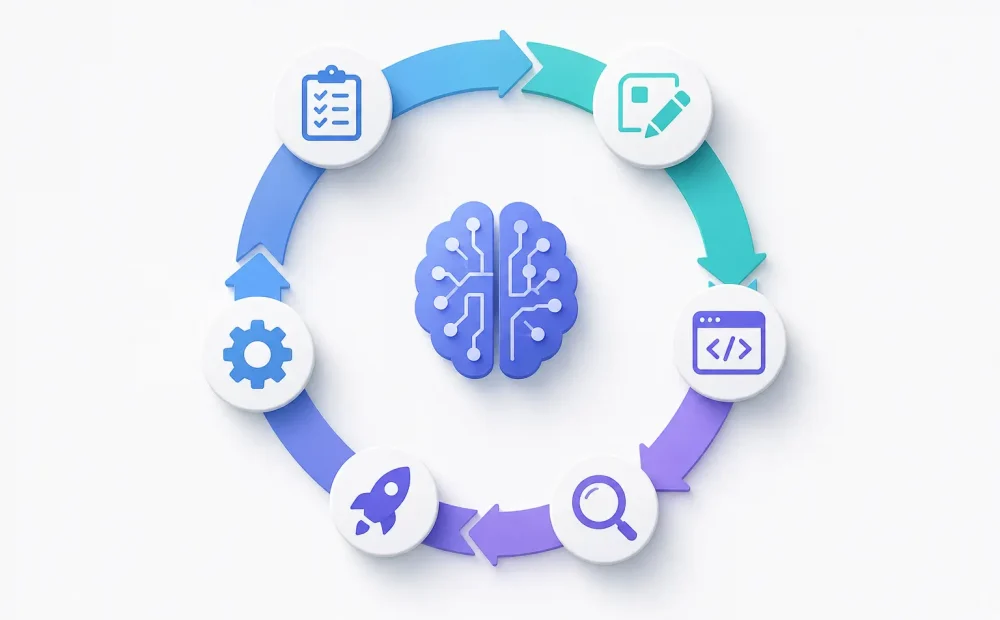
AI is appearing across the SDLC as a layer of assistance that helps teams interpret information, generate artifacts, detect problems, and automate repetitive work.
Its role varies by organization, but several patterns have become increasingly common:
- Planning and requirements. AI can summarize research, organize customer feedback, extract requirements from documents, identify ambiguities, draft user stories, and help teams explore potential implementation approaches.
- Design and development. Developers use AI to generate code, explain unfamiliar components, propose architectures, create prototypes, refactor functions, write documentation, and navigate large codebases.
- Testing and quality assurance. AI can suggest test cases, generate test data, identify potential edge cases, explain failures, and assist with maintaining automated test suites.
- Code review and security. AI-assisted tools can inspect changes, summarize pull requests, highlight suspicious patterns, explain vulnerabilities, and help reviewers focus attention on higher-risk areas.
- Deployment and operations. AI can summarize logs, analyze incidents, suggest possible root causes, assist with configuration, interpret monitoring data, and help teams understand production failures more quickly.
These applications do not necessarily remove humans from the process. In many cases, they change where human effort is concentrated.
An engineer may spend less time writing routine code but more time validating generated code. A tester may create fewer test cases manually but spend more time deciding whether generated coverage reflects real business risk. An operations engineer may receive an AI-generated incident summary but still need to determine whether the proposed explanation is correct.
AI therefore shifts work as much as it eliminates it.
Planning and requirements: how AI is changing early decisions
One of AI’s most important effects on software development happens before code is written, when teams are still trying to understand what should be built and why.
Planning has traditionally required people to process large amounts of fragmented information. Product requirements may be spread across meeting notes, support tickets, analytics, research reports, customer interviews, emails, and existing documentation.
AI can help organize this material much faster.
A product team can use a model to group hundreds of customer comments into recurring themes. Requirements can be compared for contradictions. Long documents can be summarized before planning meetings. Draft acceptance criteria can be generated from feature descriptions. Teams can also use AI to explore edge cases that might otherwise emerge only during implementation.
This can shorten the distance between raw information and a structured discussion.
However, faster analysis does not automatically mean better decisions. AI may misunderstand context, give disproportionate importance to information that appears frequently, or generate plausible requirements that customers never actually requested.
The distinction between synthesis and judgment is therefore important.
AI can help teams process evidence, but product managers, engineers, designers, and stakeholders still need to decide which evidence matters. They must determine whether a problem is worth solving, whether a proposed feature aligns with business objectives, and which trade-offs are acceptable.
There is another consequence: when generating specifications becomes inexpensive, teams can create more documentation than they can realistically validate. A detailed AI-generated requirements document may look authoritative even when it is built on weak assumptions.
The value of AI at this stage comes from improving understanding, not maximizing the amount of documentation produced.
How AI shows up day-to-day from coding to deployment
In everyday engineering work, AI increasingly functions as a collaborator that accelerates individual steps while leaving developers responsible for understanding the system and validating consequential decisions.
A typical AI-assisted workflow may look like this:
- Development begins with context gathering. Instead of manually searching through numerous files, developers can ask AI tools to explain relevant modules, trace dependencies, summarize existing behavior, or identify where a proposed change is likely to belong.
- Code and tests are created iteratively. AI can generate initial implementations, repetitive code, database queries, tests, documentation, and refactoring suggestions. The developer reviews the output, corrects assumptions, and adapts it to the project’s conventions.
- Changes receive additional automated scrutiny. AI-assisted review and security tools can summarize modifications, identify possible bugs, flag risky patterns, suggest missing tests, and provide another layer of analysis before human approval.
- Deployment and production feedback become easier to interpret. After release, AI can help analyze telemetry, summarize errors, correlate events, interpret logs, and provide engineers with a faster starting point for investigating incidents.
The cumulative effect can be substantial. Small reductions in time spent searching documentation, writing boilerplate, constructing tests, interpreting errors, and investigating logs can compound across thousands of engineering tasks.
At the same time, faster generation can create new bottlenecks.
If developers produce code more quickly than teams can review it, review becomes the constraint. If more features reach testing sooner, QA may become overloaded. If AI makes experimentation inexpensive, product teams may struggle to distinguish useful experiments from unnecessary ones.
Optimizing one stage of the SDLC therefore does not automatically improve the entire system.
What teams risk missing when they don’t notice the shift
Teams that treat AI as a collection of isolated productivity tools may overlook how it changes quality, security, skills, accountability, and bottlenecks across the entire development process.
One risk is assuming that faster output equals higher productivity. Measuring additional lines of code, pull requests, or completed tickets can be misleading if AI-assisted development also increases defects, rework, review time, or architectural inconsistency.
Another issue is verification. AI can produce convincing code, documentation, tests, and explanations that contain subtle errors. As generation becomes easier, the ability to critically evaluate generated output becomes more important.
Security also requires attention. Developers may unintentionally expose sensitive information to external systems or introduce generated dependencies and code patterns without understanding their implications. Organizations need clear rules governing what information AI tools can access and what types of output require additional review.
Skills can change as well. Junior developers can become productive more quickly when AI explains code and generates examples, but excessive dependence may reduce opportunities to develop debugging, architecture, and fundamental programming skills.
Senior engineers face a different challenge. Their value may increasingly come from providing context, defining constraints, evaluating trade-offs, reviewing AI-generated changes, and maintaining architectural coherence rather than simply producing code faster.
Accountability must remain explicit. If an AI tool suggests a change that later causes an outage, responsibility cannot realistically be assigned to the model. Teams still need clear human ownership of code, deployments, security decisions, and production systems.
Perhaps most importantly, AI can move bottlenecks rather than remove them. Faster coding may expose slow review. Faster testing may expose slow deployment. Faster experimentation may reveal weak product decision-making.
Teams need to optimize the lifecycle as a system rather than maximizing AI usage at every individual stage.
How to intentionally shape AI’s role in your SDLC going forward
Organizations should decide deliberately where AI provides useful acceleration, where human judgment remains essential, and how the quality of AI-assisted work will be measured.
A practical starting point is to map the existing SDLC. Identify where engineers, product managers, QA specialists, security teams, and operations staff spend time on repetitive or information-heavy tasks.
Those areas are often strong candidates for AI assistance.
Next, classify activities according to risk. Generating an internal meeting summary has very different consequences from modifying production infrastructure. Drafting unit tests is different from approving a security exception. The amount of human review should reflect the potential impact of an error.
Teams should also define evaluation criteria before expanding adoption. Depending on the use case, useful measures might include cycle time, defect rates, review effort, incident frequency, test coverage, mean time to resolution, developer satisfaction, or the percentage of AI-generated output that requires substantial correction.
Governance should be practical rather than purely restrictive. Developers need to know which tools are approved, what data can be shared with them, how generated code should be reviewed, and when additional security or legal checks are required.
Architecture matters too. As AI capabilities become embedded into development platforms, teams should avoid creating workflows that depend completely on one model or vendor unless the benefits justify that dependency. Keeping important interfaces and evaluation processes reasonably portable can preserve future options.
Finally, organizations should revisit their SDLC periodically. AI capabilities are changing quickly, but the goal should not be to adopt every new feature. Teams should ask where the current process is constrained and whether a new capability meaningfully improves that constraint.
The most significant effect of AI on software development may ultimately be difficult to identify as a single transformation. Instead, requirements become faster to organize, code faster to produce, tests easier to create, reviews more automated, and incidents quicker to investigate. Over time, those small changes accumulate into a development lifecycle that operates very differently from the one teams used only a few years earlier.